
SilverSingles on iPhone, Built Around Dating After 50
The SilverSingles iOS app offers a phone-based way to discover people and continue conversations in a community focused on singles over 50. It can be useful when you want to keep dating separate from a long session at a computer: read an introduction when you have time, return to a conversation later, and decide which connections you would like to explore.
The App Store lists the product as designed for iPhone and free to download with in-app purchases. Free installation does not mean every membership feature is free. Before choosing paid access, understand what you want to do in the app and which membership supports that action. The membership guide explains the available published details.
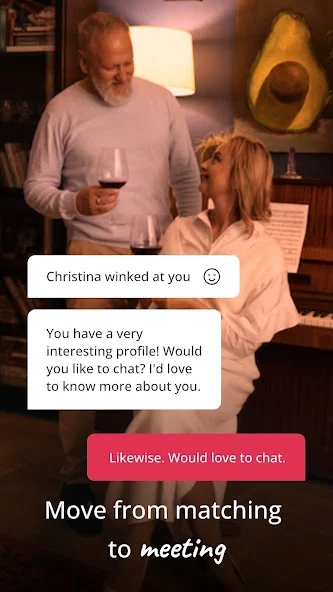

Check the Current iPhone Listing
The US App Store listing checked on September 28, 2026 states that the app requires iOS 14.0 or later. Device compatibility and availability can change, so the App Store result shown on your own device is the most useful final check before installing. The listing also identifies English as its language and shows Heartnet LLC as the seller.
Use the download button on this page to reach the supplied app route. Confirm the SilverSingles name and app identifier, 6569234138, if you are comparing search results. Similar names are not proof that two listings are the same product. This is especially helpful if an older saved link or a search result takes you somewhere unexpected.
The listing is presented as an iPhone app. Do not assume that a device appearing somewhere in compatibility information will provide an identical experience to iPhone, particularly on a computer. If you prefer a larger screen, web access may be the clearer choice. The app overview explains those access routes without requiring a different dating account.
Begin With a New or Existing Account
If you have not joined the current service, follow the registration prompts after installation. If you already use SilverSingles on the web, choose sign-in and use the details associated with that account. The official product guide describes using the same account across platforms, so moving to a phone should not itself be a reason to create a duplicate profile.
If your details are not accepted, take the recovery route rather than repeatedly registering. A typo, a different email address, or an older account history can complicate access. Our login page helps separate those possibilities from the straightforward task of returning to an existing conversation.
Registration and verification are different steps. Follow the app's own instructions to complete both. You can prepare by choosing a current photo and thinking about the interests you would enjoy sharing, but do not send identity documents or account credentials to this website for help. Account verification belongs inside the product's designated process.
Give Your Introduction a Clear Shape
On a phone, concise detail makes a profile easier to read. Describe an interest you actually practice and the type of connection you would welcome. A short paragraph about your present life is more useful than a list of abstract qualities or a long history that leaves a reader unsure what you enjoy now.
For example, someone who is retired but busy with volunteering might describe the time they would like to share rather than simply saying they have plenty of time. Someone still working might mention a favorite weekend activity. These details make your availability and personality easier to imagine without revealing your exact schedule or location.
Review photographs on the screen before submitting them. Choose images where your face is clear and the background does not reveal private information. If iOS presents a photo-access choice, read it and select the access you are comfortable granting for the action you are taking. A request to choose a photo is not a reason to make unrelated private material available.
Keep Conversations Convenient and Private
Your iPhone may be with you throughout the day, but a dating conversation does not require an immediate answer every time. Use the app when you can give another person your attention. A thoughtful reply after work or a family visit can be more useful than a hurried exchange that neither of you enjoys.
Consider what appears on your lock screen and who can see your phone. Notification preferences are personal: some people appreciate an alert, while others prefer to open the app at a chosen time. Review the settings available on your current iOS version and in the app without assuming any particular control is present under a fixed menu name.
Keep your device passcode and account password private, including when someone helps you with installation. For broader guidance about sharing personal information and moving toward a meeting, use the safety guide. Convenience should support a comfortable experience, not create an obligation to expose a conversation or remain constantly available.
Understand App Store Purchases Separately
The US listing publicly shows in-app purchase entries, but those entries are not a substitute for the terms shown before a purchase. Currency, duration, renewal details, and available offers should be read in the actual purchase flow. Do not assume that the website and every store will always offer the same periods or prices.
If you later want to stop paying, identify the billing provider from your receipt. Apple provides its own subscription-management process for subscriptions billed through Apple. Removing the app from your phone is a different action and should not be treated as proof that a subscription has ended. Keep the cancellation confirmation where you can find it.
For someone who mainly wants a first look, Standard membership is the relevant starting discussion. For someone ready to start more conversations, the paid-access comparison may be more useful. Install the app first if it fits your device, then make a membership decision based on the access you actually want and the terms in front of you.