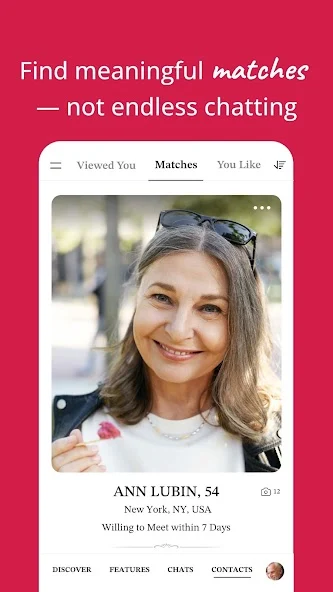
Discover SilverSingles Through Google Play
The SilverSingles Android app brings the product's over-50 dating focus to an Android phone. Its Google Play listing describes meaningful connections, shared values, and a community designed for mature singles. If that audience fits your hopes, the app gives you a place to discover introductions and continue getting to know someone when your phone is convenient.
Start with the Google Play download route rather than an unofficial installation file. The download destination identifies the package as com.silversingles.dating. Checking the product name and package helps distinguish the intended app from similar-looking search results. You should not need to obtain an installation package from an unfamiliar website to follow the download action here.

Check Android Device Compatibility
Google Play provides the compatibility and availability information relevant to the device and account you are using. Android phones vary, so this page does not promise one minimum version or identical behavior on every manufacturer. Review the listing displayed on your own phone before installing or deciding that a feature is unavailable.
The listing checked for this guide includes in-app purchases and identifies the product as a dating app. It also contains developer-provided data-safety information. That information is useful context, but it should not be read as an independent guarantee about every possible data practice or interaction with another member.
If the app is not available for your device, consider the web route described in the SilverSingles app overview. There is no need to change phones merely to begin a dating profile. The important choice is whether the service fits your audience and relationship goals; device access is the practical way to reach it.
Build an Introduction Before Chasing Notifications
Your first useful task is making the profile accurately describe you. Choose recent photographs, name a few interests, and explain the kind of connection you would enjoy. A person deciding whether to start a conversation needs a picture of your present life, not a polished slogan that could belong to anyone.
You might describe a weekday routine, a favorite kind of outing, or a new interest you would like to share. If retirement or a work schedule affects your availability, a broad description can help someone understand it without publishing private details. The retired singles guide explores those differences more fully.
Complete the app's required verification process before assuming that profile browsing or interest actions should work without limits. The current public guide describes verification as part of access to fuller interaction. How SilverSingles works explains the stages so an unfinished setup does not get confused with a membership decision.
Read Permissions in the Context of the Action
When Android asks for access, connect the request to what you are trying to do. Choosing a photo, taking a picture, or using a communication feature can involve different permissions. Read the current prompt and make a choice you understand rather than approving everything simply to clear the screen.
If you decline a permission and a particular action no longer works, review the relevant setting for that action. Android menus differ between versions and manufacturers, so follow the labels on your device. This is a practical way to stay in control without assuming that every permission request is either unnecessary or mandatory for the entire app.
Be equally careful about content you choose to upload. A background can reveal an address, a name on a document, or other information you did not intend to share. Review the image itself rather than relying only on a device setting to protect what is visible within it.
Turn Profile Interest Into a Real Exchange
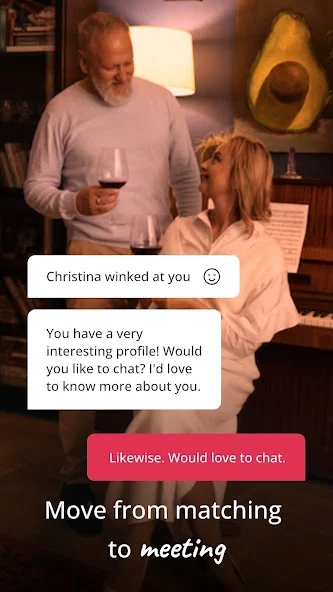
The value of an app comes from learning about another person, not accumulating notifications. Notice a detail in a profile and use it to open a conversation you would actually enjoy. If someone mentions a hobby, ask about a recent experience with it rather than sending the same greeting to everyone.
Let your own answer add something too. A question followed by a small piece of your experience is often easier to respond to than a series of questions that feels like a survey. Then notice whether the other person shows curiosity in return. Reciprocal attention is more useful than trying to keep every exchange alive by yourself.
Different memberships support different communication access. Our Standard membership page explains the distinction between getting started and initiating unrestricted conversations. If a button prompts you to consider paid access, read the offer and compare it with what you want to do rather than assuming installation included every feature.
Choose Alerts That Fit Your Routine
Notifications can help you return to a promising conversation, but you are entitled to a routine that leaves room for the rest of your life. Review what is shown on your lock screen and decide whether you prefer alerts or checking the app at a chosen time. Use the options actually available on your phone and in your app version.
If you share a device or someone helps you use it, keep control of your account. Do not hand over passwords or allow another person to speak as you in a dating conversation. Help with installation should remain help with installation, not permission to read private exchanges.
For concerns about another person's behavior, device settings are only part of the answer. The safety page covers pressure, requests for money, and private information. A quieter notification setting cannot make an unsafe conversation safe; your response to the person still matters.
Review Paid Access and Keep Your Receipt
Before subscribing, read the price, duration, and renewal terms shown in the purchase flow. Google Play billing and a purchase made through a website may have different management routes. Your receipt is the best starting point for identifying which provider charged you and where the subscription must be managed.
Uninstalling the app removes software from a device; it should not be treated as a cancellation confirmation. If you decide to stop paying, complete the relevant subscription-management process and keep the result. Account deletion is another distinct request, with its own consequences for your profile and data.
The membership guide explains these separate decisions. Once you understand the access and billing, you can focus on what brought you here: meeting someone whose company, experience, and intentions feel compatible with your own. Get SilverSingles on Android and give a clear, current introduction the chance to start that conversation.